Dental Appointment Booking Software: Complete Guide (2024)
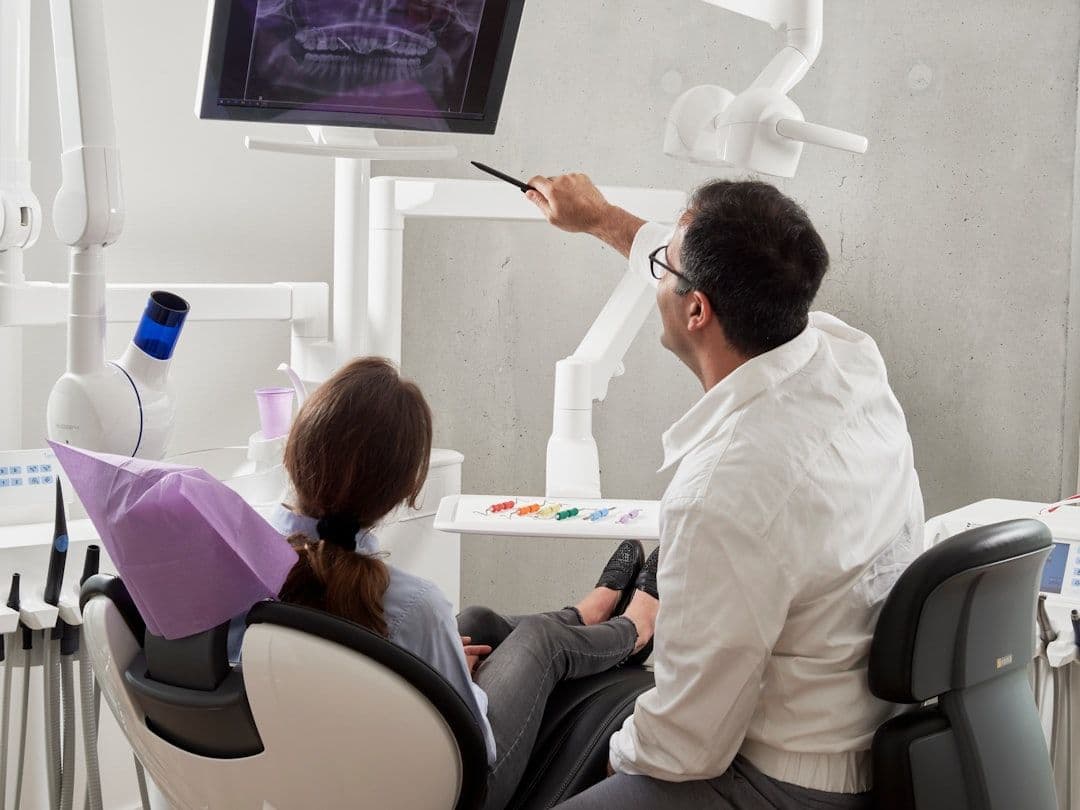
Finding the right dental appointment booking software can transform how your practice handles scheduling, reduces no-shows, and improves patient satisfaction. Modern dental appointment booking software goes beyond basic calendar management—it automates confirmations, handles cancellations, and integrates with your existing practice management systems.
Whether you're a solo practitioner or manage multiple locations, the right scheduling solution will save you hours each week while creating a better experience for your patients. Here's everything you need to know about choosing and implementing dental appointment booking software in 2024.
What Is Dental Appointment Booking Software?
Dental appointment booking software is a specialized scheduling platform designed specifically for dental practices. Unlike generic scheduling tools, these systems understand the unique needs of dental offices—from managing different appointment types and durations to handling insurance verification and treatment planning.
These platforms typically include:
- Online booking portals for patients
- Automated appointment confirmations and reminders
- Integration with practice management systems
- Treatment-specific scheduling templates
- Insurance verification workflows
- No-show tracking and management
Most dental practices juggle multiple calendars—individual dentists, hygienists, and specialized treatment rooms. If you're managing several schedules across different platforms, a tool that syncs your calendars automatically can help you maintain a unified view of all appointments while using your preferred booking software.
The key difference between dental-specific software and general scheduling tools lies in the industry customization. Dental booking platforms understand that a routine cleaning takes 60 minutes, while a root canal might need 90 minutes with specific equipment requirements.
Essential Features of Dental Appointment Booking Software
When evaluating dental scheduling platforms, focus on features that directly impact your practice's efficiency and patient experience. Not every feature matters for every practice, but these core capabilities should be on your checklist.
Patient-Facing Online Booking
Your patients should be able to schedule, reschedule, and cancel appointments 24/7 through an intuitive online portal. Look for systems that integrate with your website and allow patients to see real-time availability for their preferred providers.
Automated Communication
Appointment confirmations, reminders, and follow-up messages should happen automatically. Google Calendar SMS reminders can be particularly effective for reducing no-shows, and many dental platforms offer similar automated messaging features.
Treatment-Specific Scheduling
The software should handle different appointment types with appropriate time blocks, room requirements, and provider assignments. A cleaning appointment has different requirements than an oral surgery consultation.
Integration Capabilities
Your booking software should connect with your practice management system, patient records, and billing software. This eliminates double data entry and keeps all patient information synchronized.
Waitlist Management
When cancellations occur, automated waitlist features can fill those slots quickly by notifying patients who requested earlier appointments.
Multi-Location Support
If you operate multiple offices, the software should handle scheduling across all locations while maintaining separate provider calendars and resources.
Benefits of Implementing Dental Appointment Booking Software
The right scheduling system delivers measurable improvements to both practice operations and patient satisfaction. Most dental practices see immediate benefits within the first month of implementation.
Reduced Administrative Workload
Online booking eliminates phone tag for routine scheduling. Patients can book their own appointments, and automatic confirmations reduce the need for follow-up calls. Many practices report saving 10-15 hours per week on scheduling tasks.
Decreased No-Show Rates
Automated reminders sent via text, email, and phone calls can reduce no-shows by 30-50%. Some platforms also implement confirmation requirements that help identify patients likely to miss appointments.
Improved Patient Experience
Patients appreciate the convenience of booking appointments outside business hours. They can see available times, choose their preferred provider, and receive automatic updates about their appointments.
Better Resource Utilization
Scheduling software helps optimize provider schedules and equipment usage. You can see gaps in the schedule at a glance and identify opportunities to fit in additional patients or block time for administrative tasks.
Enhanced Data Insights
Most platforms provide analytics on booking patterns, no-show trends, and provider utilization. This data helps you make informed decisions about staffing, hours of operation, and appointment types.
Top Dental Appointment Booking Software Options
Several platforms have earned strong reputations among dental practices for their reliability, features, and customer support. Here are the most recommended options for different practice sizes and needs.
Dentrix Ascend
Designed specifically for dental practices, Dentrix Ascend combines practice management with online booking. It handles everything from initial scheduling to insurance verification and treatment planning. Best for: larger practices needing comprehensive practice management.
Calendly for Healthcare
While not dental-specific, Calendly offers healthcare-focused features that many smaller dental practices find sufficient. It integrates well with existing calendar systems and offers strong automation features. Best for: solo practitioners and small practices.
OpenDental
An open-source solution that provides extensive customization options. The scheduling module integrates tightly with patient records and billing. Best for: tech-savvy practices wanting customizable solutions.
Acuity Scheduling
Offers industry-specific templates for healthcare providers, including dental practices. Acuity provides robust scheduling features with good integration options. Best for: mid-size practices wanting professional features without enterprise complexity.
Practice Web
Built specifically for dental practices, offering online booking alongside website and marketing tools. Includes features like treatment estimates and insurance verification. Best for: practices wanting integrated marketing and scheduling.
Implementation Best Practices
Successful implementation requires planning and staff training, but most practices can be up and running within 2-3 weeks. Follow these steps to ensure a smooth transition.
Phase 1: Setup and Configuration (Week 1)
- Configure provider schedules and availability
- Set up appointment types with appropriate durations
- Create automated message templates
- Test integration with existing systems
- Train staff on the new platform
Phase 2: Patient Migration (Week 2)
- Update website with online booking options
- Inform existing patients about the new system
- Start using online booking for new patients
- Monitor system performance and patient feedback
Phase 3: Optimization (Week 3+)
- Analyze booking patterns and adjust availability
- Refine automated messages based on patient responses
- Train patients to use self-service features
- Expand features like waitlists and follow-up automation
Staff Training Tips
Your front desk staff will be the primary users, so invest time in thorough training. Most platforms offer training resources, but hands-on practice with real scenarios works best.
Create backup procedures for system downtime. Even the most reliable platforms occasionally experience issues, so maintain phone-based booking capabilities as a fallback.
Maximizing ROI from Your Dental Booking Software
The software investment pays for itself through improved efficiency and reduced no-shows, but you can accelerate the return by optimizing how you use the platform.
Monitor Key Metrics
Track appointment fill rates, no-show percentages, and average time from booking to appointment. Most platforms provide these analytics automatically, but regular review helps identify optimization opportunities.
Optimize Appointment Types
Analyze which appointment types book most frequently online versus by phone. You might find that certain treatments benefit from phone consultations before booking, while routine cleanings work perfectly with online scheduling.
Leverage Automated Features
Gradually expand your use of automation. Start with basic confirmations, then add pre-appointment instructions, post-visit follow-ups, and review requests.
Patient Education
Help patients understand the benefits of online booking. Many patients, especially older adults, may need gentle encouragement to try the online system. Consider offering small incentives for first-time online bookings.
Dental appointment booking software represents a significant opportunity to improve practice efficiency while enhancing patient satisfaction. The key is choosing a platform that matches your practice size, integrates with your existing systems, and provides room for growth.
Start by identifying your current scheduling pain points, then evaluate platforms based on how well they address those specific challenges. Most vendors offer free trials or demonstrations, so take advantage of these opportunities to test the software with your actual workflow.
Ready to streamline your dental practice scheduling? Compare the platforms mentioned above, request demonstrations from your top choices, and plan for a gradual implementation that gets your staff and patients comfortable with the new system.