Acuity vs Calendly: Complete Feature and Pricing Comparison 2024
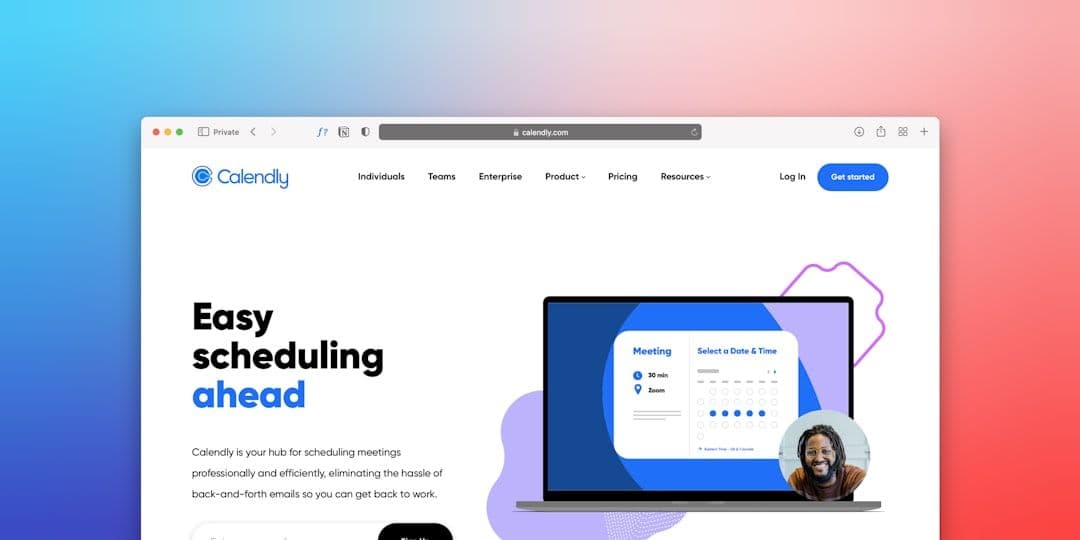
Choosing between Acuity and Calendly for your scheduling needs isn't straightforward. Both platforms promise to eliminate back-and-forth emails, but they target different users with distinct feature sets and pricing models.
This comprehensive comparison breaks down everything you need to know about Acuity vs Calendly — from core features and pricing to integrations and real-world performance. By the end, you'll know exactly which platform fits your business needs.
Interface and User Experience: Simplicity vs Customization
Calendly built its reputation on simplicity. The interface feels clean and intuitive — you can set up basic scheduling in under 10 minutes. Most users never need to dig into advanced settings.
The booking page loads quickly and looks professional without customization. Clients can see your availability, pick a time slot, and receive confirmation emails automatically.
Acuity takes a different approach. The interface offers significantly more customization options, which means a steeper learning curve. You'll spend 30-60 minutes on initial setup, but the result is a scheduling system that feels uniquely yours.
Acuity's booking pages support custom branding, intake forms, and even package scheduling. If you run a service business that needs detailed client information upfront, this flexibility is invaluable.
Winner: Calendly for quick setup, Acuity for customization needs.
Pricing Comparison: Free Plans and Premium Features
Calendly's free plan covers basic scheduling for one calendar with unlimited bookings. You get essential features like automated confirmations and calendar sync, making it perfect for solopreneurs testing scheduling automation.
The paid plans start at $8/month (billed annually) for Calendly Standard, which adds custom branding, multiple event types, and basic integrations. Professional ($12/month) includes group events and advanced integrations.
Acuity's free plan is more limited — just 1 calendar type and basic scheduling. However, their paid tiers offer significantly more value. The Growing plan ($14/month) includes intake forms, packages, and coupons — features that cost extra on other platforms.
Acuity's Powerhouse plan ($23/month) adds advanced features like recurring appointments and multiple staff calendars. For service businesses, this represents better value than Calendly's equivalent tiers.
Key pricing differences:
- Calendly: Better free plan, lower entry-level pricing
- Acuity: More features per dollar on paid plans
- Both: Annual billing offers 20-30% discounts
For detailed Calendly pricing information, check our complete guide to Calendly pricing plans.
Core Features: Meeting Types and Scheduling Options
Calendly's Strengths
Calendly excels at straightforward scheduling scenarios. One-on-one meetings, team round-robins, and collective events work seamlessly. The platform integrates deeply with Google Workspace, making it ideal for businesses already using Google Calendar.
Buffer time settings prevent back-to-back meetings, while minimum notice periods stop last-minute bookings. These features solve common scheduling headaches without complicated setup.
Calendly's workflow features include automated email sequences and calendar invitations. Everything happens automatically once someone books, reducing your administrative overhead.
Acuity's Advanced Capabilities
Acuity shines in service-based businesses requiring complex scheduling. Package bookings let clients purchase multiple sessions upfront. Intake forms collect detailed information before appointments.
The platform supports class scheduling, recurring appointments, and even appointment upsells. If you're a fitness instructor, consultant, or therapist, these features justify the higher price point.
Acuity's certificate management helps professionals track continuing education requirements. The built-in payment processing (via Square) eliminates the need for separate billing systems.
For freelancers juggling multiple client accounts, managing all these scheduled meetings across different calendars becomes challenging. A tool that syncs your calendars automatically can help consolidate your availability view, regardless of which scheduling platform you choose.
Integrations and Calendar Sync
Google Workspace Integration
Both platforms integrate well with Google Calendar, but the experience differs. Calendly's Google integration feels native — events sync instantly, and meeting details populate correctly.
Acuity's Google Calendar sync works reliably but requires more manual configuration. You'll spend time mapping custom fields and ensuring intake form data transfers properly.
For Google Workspace power users, Calendly's integration depth provides a smoother experience.
Third-Party Integrations
Calendly offers over 70 integrations through Zapier, plus native connections to Salesforce, HubSpot, and Zoom. Most freelancers find the available integrations cover their needs.
Acuity provides fewer pre-built integrations but offers more customization within each connection. The MailChimp integration, for example, includes advanced segmentation options.
Popular integrations for both platforms:
- Video conferencing: Zoom, Google Meet, Microsoft Teams
- CRM systems: HubSpot, Salesforce, Pipedrive
- Email marketing: MailChimp, ConvertKit, Constant Contact
- Payment processing: PayPal, Stripe, Square
Customer Support and Documentation
Calendly provides email support for all users, with phone support available on higher-tier plans. Response times average 2-4 hours for most inquiries.
The knowledge base covers common setup scenarios with step-by-step screenshots. Most users find answers without contacting support.
Acuity offers email and chat support across all paid plans. Their support team responds faster (usually within 1-2 hours) and provides more detailed technical assistance.
Acuity's documentation goes deeper into customization options, which matches their more complex feature set.
Which Platform Should You Choose?
Choose Calendly if you:
- Need quick setup with minimal customization
- Primarily schedule simple meetings and calls
- Use Google Workspace as your main productivity suite
- Prefer lower upfront costs
- Want extensive third-party integrations
Choose Acuity if you:
- Run a service-based business requiring detailed client intake
- Need package bookings or recurring appointment scheduling
- Want extensive branding and customization options
- Require built-in payment processing
- Value responsive customer support
Real-World Performance Considerations
Both platforms handle high booking volumes reliably. Calendly processes over 1 billion meetings annually without significant downtime reports.
Acuity's performance remains strong even with complex booking scenarios. Class scheduling and package bookings work smoothly during peak usage periods.
Page load speeds favor Calendly slightly — their booking pages average 1.2 seconds vs Acuity's 1.8 seconds. This difference rarely impacts user experience but matters for SEO.
For freelancers managing multiple client calendars, consider that keeping all your calendars in sync becomes more important as your business grows, regardless of which scheduling platform you choose.
Migration and Setup Process
Switching between platforms requires planning. Calendly exports basic event data, but custom integrations need manual recreation.
Acuity's migration tools handle client data better, including intake form responses and package information. The process still requires 2-4 hours for complex setups.
Both platforms offer setup assistance for enterprise clients. Smaller businesses rely on documentation and support tickets.
Migration checklist:
- Export client data and appointment history
- Document current integration settings
- Test new platform with limited appointment types
- Update booking links across all marketing materials
- Notify regular clients about the change
Making Your Final Decision
The choice between Acuity vs Calendly ultimately depends on your business complexity and customization needs. Calendly works perfectly for straightforward scheduling with minimal setup time. Acuity provides the flexibility service businesses need, even if it requires more initial configuration.
Both platforms integrate with major calendar systems and handle the scheduling automation that eliminates email tennis. Consider starting with Calendly's free plan to test scheduling automation, then evaluate whether Acuity's advanced features justify the investment.
Remember that your scheduling platform is just one piece of your productivity system. The key is choosing tools that work together seamlessly to support your business growth.