10 Best Calendly Alternatives for Freelancers in 2024
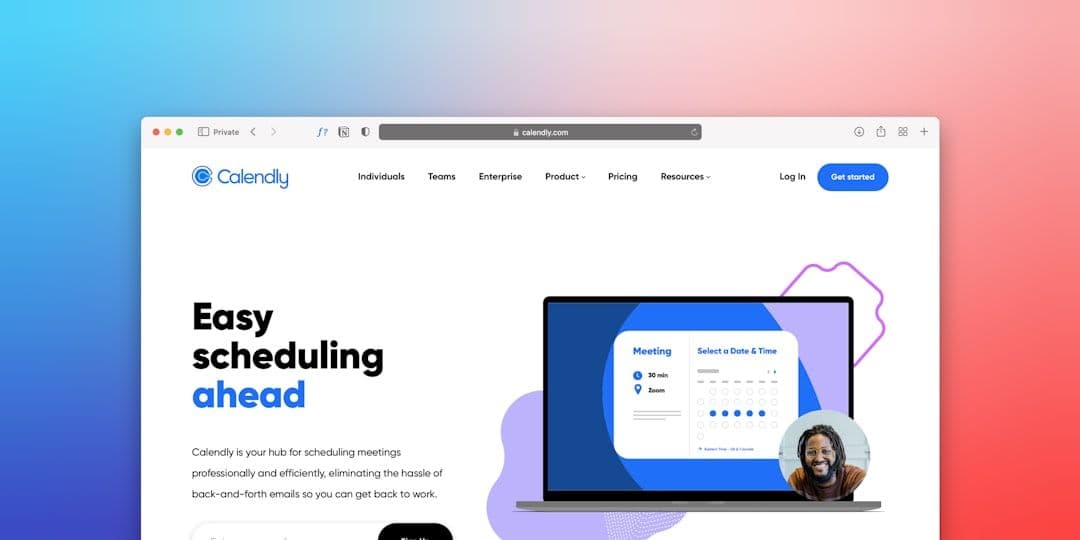
Scheduling meetings shouldn't feel like solving a puzzle. While Calendly revolutionized appointment booking, it's not the only player in the game — and depending on your needs as a freelancer or small business owner, it might not even be the best one.
If you're juggling multiple client calendars or need specific features Calendly doesn't offer, exploring Calendly alternatives can save you time and money. The right scheduling tool should integrate seamlessly with your existing workflow, whether you're using Google Workspace, managing multiple client accounts, or need advanced customization options.
Let's dive into the best alternatives that actually solve real scheduling problems for freelancers and solopreneurs.
Why Look for Calendly Alternatives?
Calendly is solid, but it has limitations that hit freelancers hard. The free plan only allows one calendar connection and one event type. For $8/month, you get unlimited event types, but multi-calendar management remains clunky.
Here's where freelancers typically run into walls:
- **Multiple client calendars**: If you work with different clients who each have their own Google Workspace, Calendly struggles to show your true availability across all accounts
- **Limited customization**: The interface options are pretty basic if you want your scheduling page to match your brand
- **Integration gaps**: Some popular freelancer tools don't play nicely with Calendly
- **Pricing tiers**: The jump from free to paid can feel steep for solo freelancers
The good news? Several alternatives address these exact pain points. Some focus on better calendar integration (like a tool that syncs your calendars automatically for true availability), others offer more customization or better pricing.
Top Calendly Alternatives for Freelancers
1. Acuity Scheduling (Now Squarespace Scheduling)
Best for: Service-based businesses needing detailed intake forms
Pricing: $14-$27/month
Acuity goes beyond basic scheduling with features freelancers actually use. You can require intake forms, accept payments during booking, and set buffer times between appointments.
The standout feature? Conditional logic in booking forms. If a client selects "brand strategy consultation," they automatically see a different questionnaire than someone booking web design work.
Pros:
- Robust intake forms and questionnaires
- Built-in payment processing
- Advanced availability rules
- Group scheduling for workshops
Cons:
- More expensive than basic alternatives
- Can feel overwhelming for simple scheduling needs
- Limited free plan
2. Cal.com
Best for: Tech-savvy freelancers wanting customization
Pricing: Free plan available, paid plans from $12/month
Cal.com is open-source, meaning the community constantly adds features. The interface is clean, and the free plan is genuinely useful — unlimited bookings, calendar connections, and event types.
What sets Cal.com apart is flexibility. You can self-host it, completely white-label your booking pages, and integrate with tools that other platforms ignore.
Pros:
- Strong free plan with no meeting limits
- Open-source with active development
- Excellent API for custom integrations
- Modern, clean interface
Cons:
- Newer platform, so fewer established integrations
- Some advanced features require technical setup
- Self-hosting isn't for everyone
3. YouCanBook.me
Best for: Freelancers who live in Google Workspace
Pricing: Free plan available, paid plans from $10/month
If Google Calendar is your command center, YouCanBook.me feels like it was built specifically for you. The two-way sync is flawless, and it handles complex scheduling scenarios without breaking a sweat.
The free plan includes basic scheduling for one calendar, but the paid plans unlock multiple calendar support and advanced features that make sense for growing freelance businesses.
Pros:
- Excellent Google Calendar integration
- Solid free plan for basic needs
- Good customization options
- Reliable and established platform
Cons:
- Interface feels dated compared to newer alternatives
- Limited marketing automation features
- Fewer third-party integrations than Calendly
4. SimplyBook.me
Best for: Freelancers offering multiple service types
Pricing: Free plan available, paid plans from $9.90/month
SimplyBook.me shines when you offer different types of services with varying durations, prices, or requirements. Think: 30-minute consultations, 2-hour strategy sessions, and multi-day workshops.
The booking widget is highly customizable, and you can embed it directly into your website without it looking like an obvious third-party tool.
Pros:
- Handles complex service offerings well
- Good customization and branding options
- Multi-language support
- Reasonable pricing structure
Cons:
- Can be overwhelming with all the features
- Some advanced features locked behind higher tiers
- Learning curve for setup
5. Koalendar
Best for: Freelancers wanting simplicity and affordability
Pricing: Free forever plan, paid plans from $4.99/month
Sometimes you just need something that works without the bells and whistles. Koalendar delivers exactly that — clean scheduling without feature bloat.
The interface is intuitive, setup takes minutes, and the pricing won't stress your freelance budget. It's what Calendly might look like if it focused purely on the essentials.
Pros:
- Very affordable pricing
- Simple, clean interface
- Quick setup process
- Good basic calendar integration
Cons:
- Limited advanced features
- Fewer integrations than established alternatives
- Basic customization options
Key Features to Consider When Choosing
Not all scheduling tools are created equal. Here's what actually matters for freelancers:
Calendar Integration Depth
Basic calendar sync isn't enough if you're managing multiple client accounts. Look for tools that can handle:
- Multiple Google Workspace accounts simultaneously
- Real-time availability checking across all calendars
- Automatic conflict detection and resolution
If you're dealing with multiple client calendars, you might want to sync your calendars first to create a unified view before connecting to any scheduling tool.
Customization and Branding
Your scheduling page is often a client's first interaction with your business. Essential customization features include:
- Custom colors and logos
- Personalized booking confirmation messages
- Ability to embed scheduling directly on your website
- Custom domain options (for paid plans)
Integration Ecosystem
The best scheduling tool plays well with your existing workflow. Priority integrations for freelancers:
- Google Workspace (obviously)
- Project management tools like [Asana](https://www.calsync.party/blog/asana-google-calendar-integration) or ClickUp
- Video conferencing (Zoom, Google Meet, etc.)
- Payment processors (Stripe, PayPal)
- Email marketing platforms
Pricing Structure
Pay attention to how pricing scales with your needs:
- What's included in free tiers
- When you're forced to upgrade (number of bookings, calendars, etc.)
- Whether advanced features justify the cost increase
- Annual vs. monthly pricing differences
Making Your Choice: A Practical Framework
Choose your Calendly alternative based on your primary pain point:
If calendar management is your biggest headache: Start with YouCanBook.me or consider Cal.com. Both handle Google Calendar integration well, and Cal.com's free plan lets you test drive advanced features.
If you need detailed client intake: Acuity Scheduling (now Squarespace Scheduling) is worth the higher price point. The forms and conditional logic save hours of back-and-forth emails.
If budget is tight: Koalendar offers the best value for basic scheduling. The free plan covers most solo freelancer needs.
If you want maximum control: Cal.com's open-source nature means you can customize everything. Just be prepared for a steeper learning curve.
If you offer complex services: SimplyBook.me handles multiple service types, durations, and pricing better than most alternatives.
Getting Started with Your New Scheduling Tool
Once you've picked your Calendly alternative, the setup process is similar across platforms:
- **Connect your primary calendar** — usually Google Calendar for freelancers
- **Set your availability** — be realistic about buffer times and breaks
- **Create your first event type** — start simple with one basic meeting type
- **Customize your booking page** — add your branding and clear descriptions
- **Test the booking flow** — book a test appointment yourself to catch any issues
- **Share your link** — add it to your email signature, website, and social profiles
Remember to set up proper reminders in your calendar system to reduce no-shows, regardless of which scheduling tool you choose.
The right scheduling tool should disappear into your workflow — clients book easily, you get the information you need, and meetings happen without drama. Take advantage of free trials to test how each platform handles your specific scheduling challenges before committing to a paid plan.