13 Best Alternatives to Calendly for Scheduling (2024)
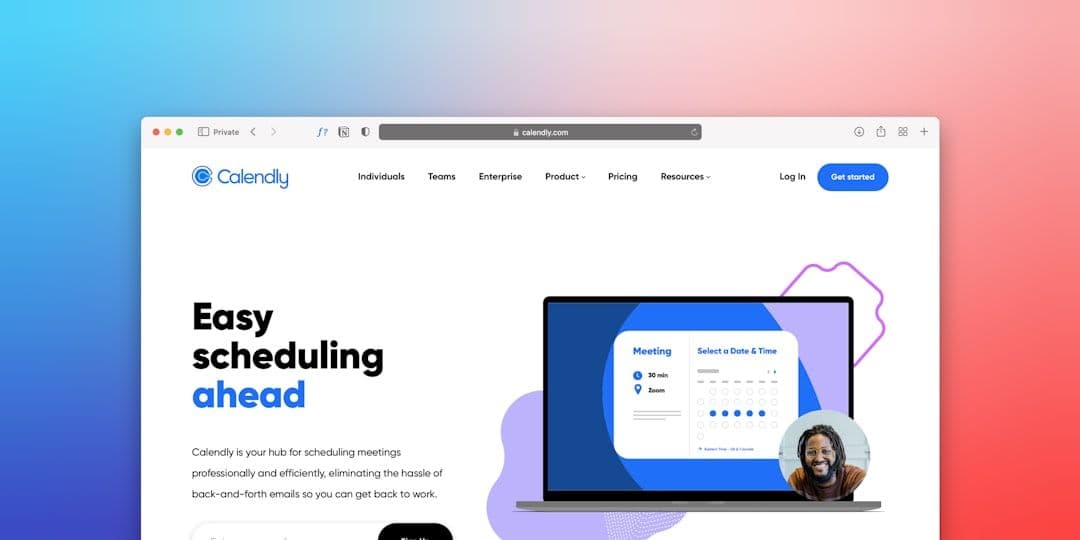
Calendly has dominated the scheduling space for years, but it's not the only game in town. Whether you're frustrated with Calendly's pricing, need specific features it doesn't offer, or simply want to explore alternatives to Calendly that better fit your workflow, there are plenty of excellent options.
As a freelancer juggling multiple clients, you might find yourself managing several Google Workspace accounts — each with its own calendar. In these situations, a tool that syncs your calendars automatically can be invaluable for avoiding double-bookings when using any scheduling tool.
Let's dive into the top alternatives that could replace or complement your current scheduling setup.
Why Consider Calendly Alternatives?
Calendly works well for many users, but several factors might push you toward other options:
Pricing concerns: Calendly's paid plans start at $8/month per user. For solopreneurs or small teams, this can add up quickly.
Limited customization: The free plan restricts branding options and meeting types. Even paid plans have customization limitations.
Integration gaps: While Calendly integrates with popular tools, it might not connect with your specific workflow or niche software.
Feature overkill or underwhelm: You might need more advanced features like payment processing, or conversely, find Calendly too complex for simple scheduling needs.
Geographic limitations: Some alternatives offer better support for international time zones or region-specific features.
Top Free Alternatives to Calendly
If budget is your primary concern, these free alternatives offer solid scheduling capabilities without the price tag.
1. Google Calendar Appointment Slots
Google's built-in appointment scheduling is completely free and integrates seamlessly with Google Workspace.
Pros:
- Free forever
- Native Google Workspace integration
- Automatic time zone detection
- Works with existing Google Calendar setup
Cons:
- Limited customization options
- No advanced booking rules
- Basic branding capabilities
Best for: Google Workspace users who need simple scheduling without extra features.
2. Microsoft Bookings
Microsoft's scheduling solution comes free with Microsoft 365 Business subscriptions.
Pros:
- Included with Microsoft 365
- Staff scheduling capabilities
- Custom booking pages
- Mobile app available
Cons:
- Requires Microsoft 365 subscription
- Less intuitive than dedicated scheduling tools
- Limited third-party integrations
Best for: Teams already using Microsoft 365 who want integrated scheduling.
3. Koalendar
Koalendar offers a generous free plan with unlimited bookings and basic customization.
Pros:
- Unlimited bookings on free plan
- Clean, modern interface
- Multiple calendar integrations
- Basic branding options
Cons:
- Limited advanced features
- Fewer integrations than premium tools
- Basic analytics
Best for: Individuals who need unlimited free scheduling with a professional appearance.
Premium Calendly Alternatives
These paid alternatives often provide better value, more features, or specialized capabilities compared to Calendly.
4. Acuity Scheduling
Owned by Squarespace, Acuity offers robust scheduling with strong customization options.
Pricing: Starting at $14/month
Pros:
- Extensive customization options
- Payment processing integration
- Advanced booking rules
- Client management features
Cons:
- Steeper learning curve
- More expensive than some alternatives
- Can feel overwhelming for simple needs
Best for: Service-based businesses that need payment processing and detailed client management. Check out our Acuity vs Calendly comparison for a detailed feature breakdown.
5. SimplyBook.me
A feature-rich platform with strong customization and booking management capabilities.
Pricing: Free plan available; paid plans from $9.90/month
Pros:
- Comprehensive booking management
- Multiple service types
- Staff scheduling
- Strong mobile app
Cons:
- Interface can feel cluttered
- Learning curve for advanced features
- Some features require higher-tier plans
Best for: Service businesses with complex scheduling needs and multiple staff members.
6. Setmore
Setmore balances simplicity with powerful features, offering a solid middle ground.
Pricing: Free plan available; paid plans from $5/month
Pros:
- User-friendly interface
- Good mobile app
- Staff scheduling capabilities
- Reasonable pricing
Cons:
- Limited customization on free plan
- Fewer advanced features than competitors
- Basic reporting capabilities
Best for: Small businesses that want ease of use without sacrificing essential features.
Specialized Scheduling Alternatives
Some alternatives focus on specific use cases or industries, offering tailored features you won't find in general scheduling tools.
7. HubSpot Meetings
Part of HubSpot's CRM suite, this tool excels at sales-focused scheduling.
Pricing: Free with HubSpot CRM; premium features require paid plans
Pros:
- Deep CRM integration
- Lead qualification features
- Sales pipeline integration
- Automatic contact creation
Cons:
- Requires HubSpot ecosystem
- Limited standalone functionality
- Can be overkill for simple scheduling
Best for: Sales teams and businesses already using HubSpot CRM.
8. Cal.com
An open-source scheduling platform with strong developer appeal and customization options.
Pricing: Free self-hosted; cloud plans from $12/month
Pros:
- Open-source flexibility
- Strong developer community
- Extensive customization
- Self-hosting option
Cons:
- Requires technical knowledge for self-hosting
- Smaller user community
- Limited support compared to established platforms
Best for: Developers and tech-savvy users who want complete control over their scheduling platform.
9. Picktime
A completely free scheduling solution with surprisingly robust features.
Pricing: Free forever
Pros:
- Always free
- Multiple calendar integrations
- Class and appointment scheduling
- Staff management
Cons:
- Limited customization
- Basic reporting
- Fewer integrations than premium tools
Best for: Budget-conscious users who need reliable scheduling without ongoing costs.
Industry-Specific Alternatives
Some scheduling tools cater to specific industries with specialized features.
10. Mindbody
Designed specifically for fitness, wellness, and beauty businesses.
Pricing: Starting at $129/month
Pros:
- Industry-specific features
- Payment processing
- Class scheduling
- Client management
Cons:
- Expensive for individual users
- Overkill for general scheduling
- Steep learning curve
Best for: Fitness studios, spas, and wellness centers with complex booking needs.
11. Square Appointments
Square's scheduling solution integrates seamlessly with their payment ecosystem.
Pricing: Free plan available; paid plans from $29/month
Pros:
- Integrated payment processing
- Point-of-sale integration
- Good mobile app
- Staff scheduling
Cons:
- Limited customization
- Focused on service businesses
- Fewer third-party integrations
Best for: Retail and service businesses already using Square's payment system.
12. Appointy
A comprehensive booking system with strong multi-business capabilities.
Pricing: Free plan available; paid plans from $19.99/month
Pros:
- Multi-location support
- Staff scheduling
- Customer management
- Mobile app
Cons:
- Interface feels dated
- Learning curve for advanced features
- Limited customization on lower tiers
Best for: Multi-location businesses that need centralized scheduling management.
13. When2meet
A simple group scheduling tool perfect for finding common availability.
Pricing: Free
Pros:
- Completely free
- Dead simple interface
- No account required
- Perfect for group scheduling
Cons:
- Very basic features
- No calendar integration
- Limited to availability polling
Best for: Quick group scheduling and finding common meeting times.
How to Choose the Right Calendly Alternative
Selecting the best alternative depends on your specific needs and workflow. Consider these factors:
- **Budget constraints**: Determine if you need a free solution or can invest in premium features
- **Integration requirements**: List the tools you currently use and need to connect
- **Customization needs**: Decide how much branding and customization matters to your business
- **Booking complexity**: Simple one-on-one meetings vs. complex multi-service scheduling
- **Team size**: Individual use vs. team scheduling capabilities
- **Payment processing**: Whether you need to collect payments during booking
If you're managing multiple Google Workspace accounts for different clients, remember that keeping all your calendars in sync becomes crucial regardless of which scheduling tool you choose.
Making the Switch from Calendly
Once you've chosen an alternative, the transition process is usually straightforward:
- **Export your data**: Download your existing scheduling data from Calendly
- **Set up your new tool**: Configure your availability, services, and preferences
- **Update your links**: Replace Calendly links on your website, email signatures, and marketing materials
- **Test thoroughly**: Book test appointments to ensure everything works correctly
- **Communicate the change**: Let regular clients know about your new scheduling system
Most alternatives offer migration assistance or import tools to make the switch as smooth as possible.
Conclusion
The scheduling tool landscape offers plenty of viable alternatives to Calendly, each with unique strengths and capabilities. Whether you prioritize cost savings, specific features, or better integrations, there's likely an option that fits your needs perfectly.
For freelancers and consultants managing multiple client calendars, the key is finding a scheduling tool that works seamlessly with your existing workflow — including your calendar management system.
Ready to explore a new scheduling solution? Start with the free options to test the waters, then consider upgrading to premium alternatives if you need advanced features. The perfect Calendly alternative for your business is out there.