Online Booking System for Beauty Salon: Complete Guide 2024
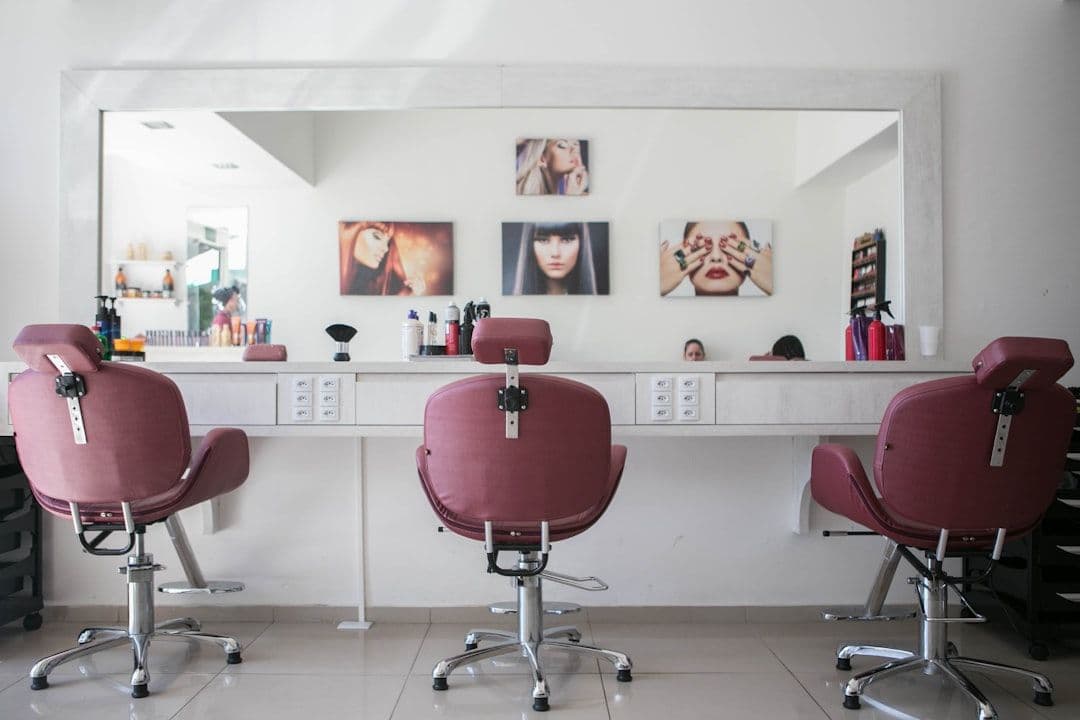
Running a beauty salon means juggling haircuts, color treatments, facials, and countless other appointments. An online booking system for beauty salon operations can transform your scheduling chaos into a streamlined process that works 24/7. Whether you're managing a solo practice or a multi-stylist salon, the right booking system eliminates phone tag, reduces no-shows, and lets clients book when it's convenient for them.
The beauty industry loses thousands in revenue each year from missed appointments and scheduling mix-ups. A proper online booking system doesn't just solve these problems—it becomes a revenue driver that works while you sleep.
Why Beauty Salons Need Online Booking Systems
Traditional phone-based booking creates bottlenecks that hurt your business. When clients can't reach you during busy periods, they often book elsewhere. Online booking systems solve this by letting clients schedule appointments anytime, even when your salon is closed.
The numbers tell the story: salons with online booking see 30-40% fewer no-shows compared to phone-only booking. Automated reminders via SMS and email keep appointments top-of-mind for clients.
For salon owners juggling multiple locations or working with freelance stylists across different Google Workspace accounts, keeping track of everyone's availability becomes complex. Tools that automatically sync multiple calendars help prevent double-bookings and give you a unified view of your entire operation.
Online booking also captures client information automatically. Instead of scribbling names and phone numbers during busy periods, your system builds a digital client database with service history, preferences, and contact details.
Essential Features for Beauty Salon Booking Systems
Not all booking systems work well for beauty salons. Look for these must-have features when evaluating options:
Service-Specific Booking: Your system needs to handle different appointment types—a 30-minute eyebrow wax versus a 3-hour color treatment. Each service should have customizable duration, pricing, and staff requirements.
Staff Management: Multi-stylist salons need systems that manage individual schedules, skill sets, and availability. Clients should see which stylists offer specific services and book accordingly.
Automated Reminders: SMS and email reminders sent 24-48 hours before appointments dramatically reduce no-shows. Look for systems that send multiple reminder types and let you customize timing.
Payment Processing: Collecting deposits or full payment during booking reduces no-shows and improves cash flow. Your system should integrate with popular payment processors like Square, Stripe, or PayPal.
Client Profiles: Track service history, allergies, color formulas, and preferences. This information helps stylists prepare and provides personalized service that builds loyalty.
Mobile Optimization: Over 70% of beauty appointments are booked on mobile devices. Your booking page must work flawlessly on smartphones and tablets.
Calendar Integration: Your booking system should sync with Google Calendar, Outlook, or other calendar apps you already use. This prevents scheduling conflicts and keeps your personal calendar updated.
Top Online Booking Systems for Beauty Salons
After testing dozens of platforms, these systems stand out for beauty salon operations:
Acuity Scheduling excels at complex service booking with customizable intake forms and flexible scheduling rules. Pricing starts at $14/month for basic features, with advanced plans at $23-$45/month. It integrates well with existing calendar systems and offers strong customization options.
Square Appointments works seamlessly if you already use Square for payments. The free plan handles basic booking for single-location salons, while paid plans ($29-$69/month) add advanced features like marketing tools and detailed analytics.
Booksy targets beauty professionals specifically with features like photo portfolios and review management. Plans range from $29-$89/month and include marketing tools designed for salons.
Calendly offers simple, clean booking that works well for individual stylists or small salons. The free plan handles basic scheduling, while paid plans ($8-$16/month per user) add team features and integrations.
Vagaro provides comprehensive salon management including booking, POS, and marketing tools. Pricing starts around $30/month but can reach $180+ for full-featured plans.
For salon owners managing multiple locations or working with stylists who use separate Google Workspace accounts, consider how these systems handle calendar synchronization. Some work better than others for complex multi-calendar scenarios.
Setting Up Your Beauty Salon Online Booking System
Implementing your chosen booking system requires careful planning to avoid disrupting existing appointments:
1. Map Your Services: List every service you offer with accurate duration and pricing. Include setup/cleanup time in your duration estimates—a 1-hour color service might need 75 minutes of blocked time.
2. Set Staff Schedules: Input each stylist's availability, including breaks, lunch hours, and days off. Build in buffer time between complex services like chemical treatments.
3. Configure Booking Rules: Set minimum advance booking times (prevent last-minute bookings you can't accommodate) and maximum booking windows (typically 60-90 days out).
4. Create Service Descriptions: Write clear, compelling descriptions for each service. Include what's included, approximate duration, and any preparation instructions for clients.
5. Test the System: Book several test appointments using different devices and services. Check that confirmations, reminders, and calendar syncing work correctly.
6. Train Your Team: Ensure all staff understand how to manage bookings, handle cancellations, and access client information through the system.
7. Import Existing Clients: Most systems let you import client data from spreadsheets or other software. Clean up your data first—remove duplicates and verify contact information.
During the transition period, run your old booking method alongside the new system for 2-3 weeks. This gives you time to work out kinks without losing appointments.
Maximizing Bookings and Reducing No-Shows
Your online booking system is only as effective as how you use it. These strategies help maximize its impact:
Optimize Your Booking Page: Place your booking link prominently on your website, social media profiles, and Google Business listing. The fewer clicks required to book, the better.
Require Deposits: Collecting 25-50% deposits during booking significantly reduces no-shows. For expensive services like color corrections, consider requiring full payment upfront.
Use Smart Reminder Sequences: Send confirmations immediately after booking, reminders 48 hours before appointments, and final reminders 4-6 hours before service. Include your cancellation policy in each message.
Enable Waitlists: Let clients join waitlists for popular time slots. When cancellations occur, automatically offer spots to waitlisted clients.
Track Performance: Monitor metrics like booking conversion rates, no-show percentages, and average booking value. Most systems provide analytics to help identify improvement opportunities.
Integrate with Marketing: Use your booking system's client data for targeted email marketing. Send birthday discounts, service reminders, or promotions for new treatments.
For salons using time blocking methods to optimize productivity, your booking system should integrate smoothly with your existing scheduling workflow.
Conclusion
An online booking system for beauty salon operations transforms how you manage appointments and serve clients. The right system reduces administrative work, increases bookings, and provides the professional experience today's clients expect.
Start by identifying your specific needs—single location versus multiple sites, solo practitioner versus team management, basic booking versus comprehensive salon software. Then choose a system that grows with your business rather than limiting it.
The investment in online booking typically pays for itself within weeks through increased bookings and reduced no-shows. Your clients will appreciate the convenience, and you'll wonder how you ever managed without it.
Ready to streamline your salon's scheduling? Choose one of the recommended systems above and start with their free trial. Your future self (and your clients) will thank you for making the switch to professional online booking.